What players say
Protonami delivers a satisfying platforming experience with its clever level design and increasing difficulty. The traps require careful timing and practice to overcome, which adds to the replay value. Controls are responsive and easy to learn. Each level feels like a small puzzle that you solve through trial and error. It is a good choice for players who enjoy skill-based challenges without complex stories. The game is free and runs well in a browser, making it accessible for short breaks or longer play sessions.
About this game
Game Introduction
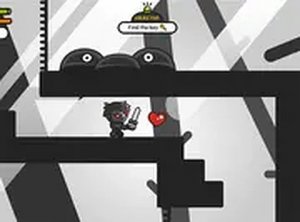
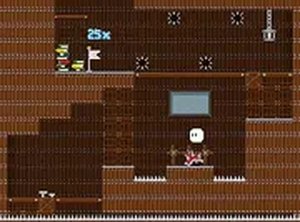
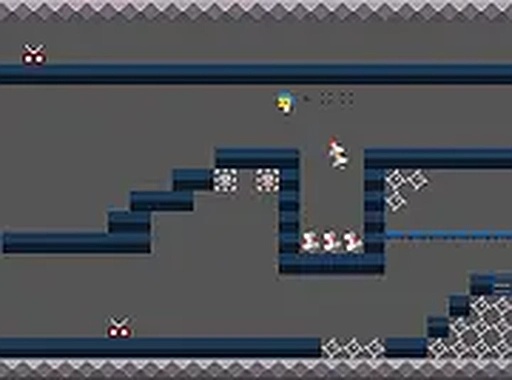
Protonami is a challenging 2D platformer game set in a laboratory environment filled with tricky traps. Players control a character who must run, jump, and dodge obstacles to progress through each level. The main objective is to reach the F marker at the end of each stage to exit. The game offers many action-packed levels that test reflexes and problem-solving skills. It is designed for players who enjoy a good challenge and precise movement. Protonami is free to play directly in your browser, with no downloads required, and works best on a computer using a keyboard or mouse. A full screen option is available for a more immersive experience. The game is simple to start but hard to master, making it a great choice for platformer fans.
How to Play
To play Protonami, use your keyboard to control your character. Press the arrow keys or WASD to move left, right, and jump. You need to run and jump over gaps, dodge traps, and avoid obstacles. Timing is important because many traps move or appear suddenly. Your goal is to reach the F at the end of each level to complete it. If you fall or hit a trap, you restart the level. Practice each section to learn the patterns and improve your skills. The controls are easy to learn, but the levels require focus and quick reactions. Start with the first level and work your way through the increasing difficulty. Enjoy the action and see how far you can go.
Game Features
Challenging levels that require quick reflexes and smart moves. Tricky traps and obstacles that test your timing. Simple keyboard controls using arrow keys or WASD. Many action-packed levels to play through. Free to play in your browser with full screen option. Works best on a computer for precise control.
Tips for Success
Practice each level repeatedly to learn trap patterns and timing. Focus on precise jumps rather than rushing. Use short, controlled movements to navigate tight spaces. Stay patient—each restart is a chance to improve. Observe obstacle movements before committing to a jump. Take breaks if you feel frustrated to maintain focus.
❓ Having issues?
✅ This game supports: - Desktop browsers (Chrome, Edge, Safari) - Mobile browsers (Chrome on Android, Safari on iOS) ❌ Does NOT support: - Internet Explorer - Very old browser versions 👉 Try refreshing or updating your browser