What players say
Ball Sort Paper Note combines simple color sorting with a robotic arm mechanic that feels satisfying to control. The difficulty increases gradually, keeping the game interesting without becoming frustrating. It is a relaxing puzzle that works well on both desktop and mobile devices. The bright visuals and responsive controls make it a pleasant choice for casual gamers looking for a quick mental exercise.
About this game
Game Introduction
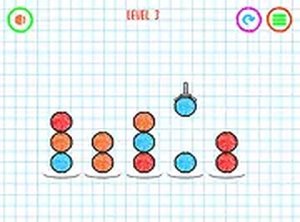
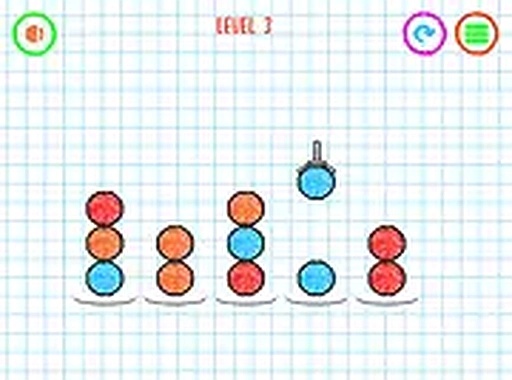
Ball Sort Paper Note is a delightful puzzle game where your goal is to sort colorful balls by matching them according to their color. Using a robotic arm, you grab each ball and drop it into the correct spot. It is a simple yet engaging challenge that tests your focus and coordination. Perfect for players of all ages, this game offers a relaxing way to pass the time while sharpening your sorting skills. Play it directly in your browser on any device without any downloads.
How to Play
To play Ball Sort Paper Note, use your mouse or touch screen to control the robotic arm. Click or tap to grab a ball, then move it to the matching color group and release to drop it in place. Complete each level by sorting all balls correctly, then advance to the next challenge. The game runs smoothly on both desktop and mobile devices. You can switch to full screen mode for a more immersive experience.
Game Features
Colorful graphics create an inviting visual environment. Easy controls make the game accessible to players of all skill levels. Progressive difficulty keeps the challenge fresh as you advance through levels. The game works on both desktop and mobile browsers without any downloads required.
Tips for Success
Take your time to observe the colors before grabbing a ball. Plan your moves to avoid mixing balls incorrectly. Practice regularly to improve your sorting speed and accuracy. Stay calm and focused, especially as levels become more challenging. Use the full screen mode to reduce distractions and see the colors clearly.
❓ Having issues?
✅ This game supports: - Desktop browsers (Chrome, Edge, Safari) - Mobile browsers (Chrome on Android, Safari on iOS) ❌ Does NOT support: - Internet Explorer - Very old browser versions 👉 Try refreshing or updating your browser