What players say
Stickman Brothers Co-op Parkour Adventure is an excellent two-player cooperative game that emphasizes teamwork and communication. The simple stickman art style keeps the focus on the gameplay, which involves collecting blocks to build portals and advance through increasingly challenging levels. The controls are easy to learn, and the game runs smoothly on both desktop and mobile browsers without any downloads. It is a great choice for friends looking for a free, engaging puzzle-platformer experience.
About this game
Game Introduction
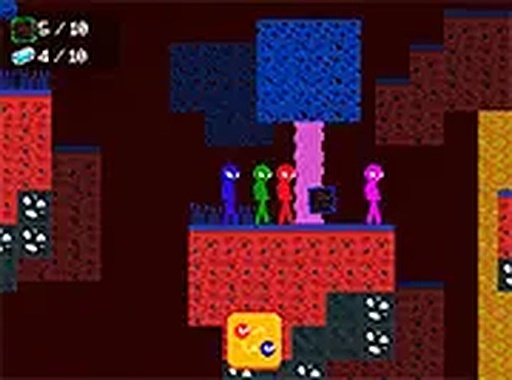
Stickman Brothers Co-op Parkour Adventure is a cooperative two-player game where you and a friend work together to guide stickman brothers through each level. The core objective is to collect all the blocks scattered across the stage. These blocks are used to build a portal that allows both players to escape to the next level. The levels are filled with obstacles and hidden items that require careful timing and teamwork to navigate. The simple stickman art style keeps the focus on the gameplay, making it easy for players of all ages to enjoy. The game runs smoothly in your browser on both desktop and mobile devices, with no downloads required. It is completely free to play.
How to Play
Each player controls one stickman brother using separate keys on the keyboard. Your goal is to navigate through each level by jumping over obstacles and avoiding hazards. Collect all the blocks to build the portal. Both players must reach the portal together to advance. Communication and coordination are key to success. The game supports full-screen mode for a more immersive experience.
Game Features
Cooperative two-player gameplay that requires teamwork. Simple controls that are easy to learn. Fun obstacle courses with increasing difficulty. Full-screen mode available. No downloads or installations needed. Works on desktop and mobile browsers.
Tips for Success
Communicate with your partner to plan moves and avoid hazards. Practice timing your jumps to clear obstacles and dodge hazards. Collect blocks efficiently by splitting tasks when possible. Stay close to each other so you can reach the portal together. Replay levels to improve coordination and find hidden shortcuts.