What players say
City Flight Racer offers an engaging arcade experience with smooth 3D graphics and a dynamic city environment. The moving buildings keep each run fresh, while the credit system and upgrades provide meaningful progression. The leaderboard encourages friendly competition. It is free, family-friendly, and runs well in a browser.
About this game
Game Introduction
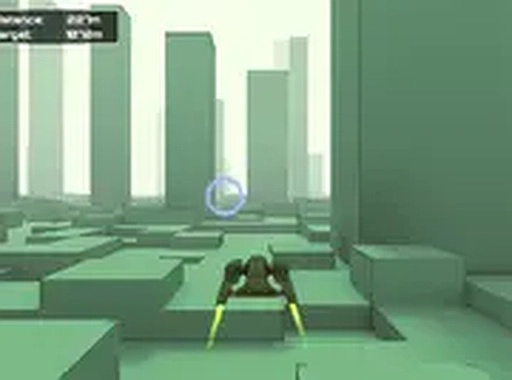
City Flight Racer: Arcade Driving is a fast-paced driving and racing game where players control a spaceship through a futuristic city. The core objective is to fly as far as possible while avoiding collisions with buildings. What makes this game unique is its dynamic environment—buildings begin to move as you progress, increasing the challenge. Players can collect blue circles for credits, which can be spent in an in-game shop to upgrade their ship. The game features smooth 3D graphics powered by Unity WebGL, runs directly in a browser, and is designed for desktop play. It includes a competitive leaderboard for tracking high scores and is family-friendly with no violent content, suitable for all ages.
How to Play
Players typically use keyboard or mouse controls to steer their spaceship left or right. The main goal is to navigate through a cityscape without crashing into buildings. As you fly, aim to collect blue circles that appear along the path to earn extra points and credits. The game speed gradually increases over time, and buildings may start moving, requiring quick reflexes and focus. Credits collected can be used in the in-game shop to purchase upgrades for your ship. The game automatically saves your score, allowing you to resume later. For a more immersive experience, you can play in full-screen mode.
Game Features
Key features include fast-paced 3D spaceship racing through a futuristic city, dynamic moving obstacles that increase difficulty, a credit collection and in-game shop system for ship upgrades, and a competitive leaderboard to compare scores. The game is free to play in a browser using Unity WebGL for smooth graphics, supports full-screen mode, and automatically saves your progress. As a racing game, it focuses on speed, reflexes, and obstacle avoidance, with an arcade-style scoring system that rewards distance and collection.
Tips for Success
To improve your performance, practice steering smoothly to avoid sudden crashes. Focus on collecting blue circles to earn credits for ship upgrades, which can help you last longer. As the game speeds up and buildings begin to move, stay alert and anticipate obstacles. Regular practice will help you learn the patterns of the city environment. Use the leaderboard to set personal goals and track your progress. Taking short breaks can help maintain concentration during longer sessions.