What players say
Kinder Garden offers a complete early learning experience with voice-guided lessons across many topics. Toddlers can explore alphabets, numbers, colors, and more at their own pace. The coloring pages add a creative break. The simple click interface is perfect for small hands. This game provides lasting educational value and is a reliable choice for parents.
About this game
Game Introduction
Kinder Garden is an interactive online learning game designed for toddlers and young children. Its core objective is to make early education fun and engaging through colorful visuals, voice narration, and simple activities. The game covers a variety of foundational topics such as alphabets, numbers, colors, shapes, animals, and more. What makes it unique is its focus on providing a safe, screen-time-friendly environment where kids can explore and learn at their own pace. The game is free to play instantly in a web browser, making it accessible for families looking for quality educational content.
How to Play
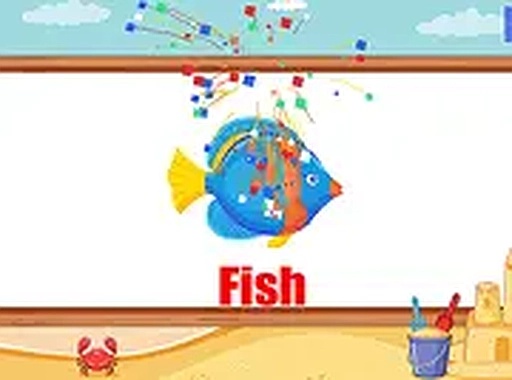
Playing Kinder Garden is simple and intuitive. Children use a mouse or touch input to click on different learning categories, such as alphabets, numbers, or colors. Each category opens interactive activities where kids can listen to voice narrations, see bright visuals, and hear playful sound effects. For example, clicking on a letter shows its shape and says its name, while selecting a number displays it with matching objects. The game also includes coloring pages where children can fill pictures with colors. There are no complex controls, allowing toddlers to navigate independently or with light guidance from parents.
Game Features
Key features include helpful voice narration that guides children through each activity, vibrant and colorful graphics, and engaging sound effects. The game offers multiple learning categories, including alphabets, spelling, numbers, colors, shapes, vehicles, body parts, days and months, musical instruments, coloring pages, and animals. Coloring pages provide a creative outlet where kids can express themselves. The game is designed to be safe and free from advertisements or inappropriate content, making it suitable for young learners. It is available online instantly without any downloads or installations.
Tips for Success
To get the most out of Kinder Garden, encourage children to explore all categories to build a broad foundation. Regular, short play sessions help reinforce learning without causing fatigue. Parents can sit with their child initially to demonstrate how to navigate, then gradually let them play independently. Revisiting favorite activities can boost confidence and retention. Using the coloring pages as a reward after completing other lessons can keep motivation high. Most importantly, let the child set their own pace and follow their interests to make learning a positive experience.
✅ Compatibility & Testing
All games on this site are manually tested on: • Desktop (Windows 11, macOS Ventura) • Mobile (iPhone 14, Samsung Galaxy S23) • Tablet (iPad Pro, Android tablet) 📌 Supported browsers: Chrome, Safari, Edge, Firefox (latest versions) 📌 Not supported: Internet Explorer, older browser versions